Local AI for coding
Your code stays with you.
Offgrid Coder turns your iPad Pro into a private AI server for software development on your Mac. The language model runs directly on the iPad – on trains, planes and ships, and wherever code must not go to a cloud.
iPad Pro and Mac · USB-C · No cloud, account or tracking · Works in airplane mode
- </>Your editor on the MacVisual Studio Code with the Continue extension – or any tool that speaks an OpenAI-compatible interface
- on your Mac only · 127.0.0.1
- ⇄Offgrid Coder CompanionA small macOS app that accepts the requests and passes them on, encrypted
- USB-C cable · encrypted
 Offgrid Coder on the iPad ProThe language model computes here – on Apple silicon, with the MLX framework
What for
A coding assistant that needs no network
On the road
Train, plane, ship, dead zone: the assistant keeps working because it needs nothing from the internet. You carry the iPad anyway.
Confidential code
Prompts and source code go to no data center. They travel over a cable between two devices you own.
Your Mac stays free
The model uses the iPad's memory and compute. On the Mac they remain available for editor, build and tests.
What it looks like
Captured on an iPad Pro with M5
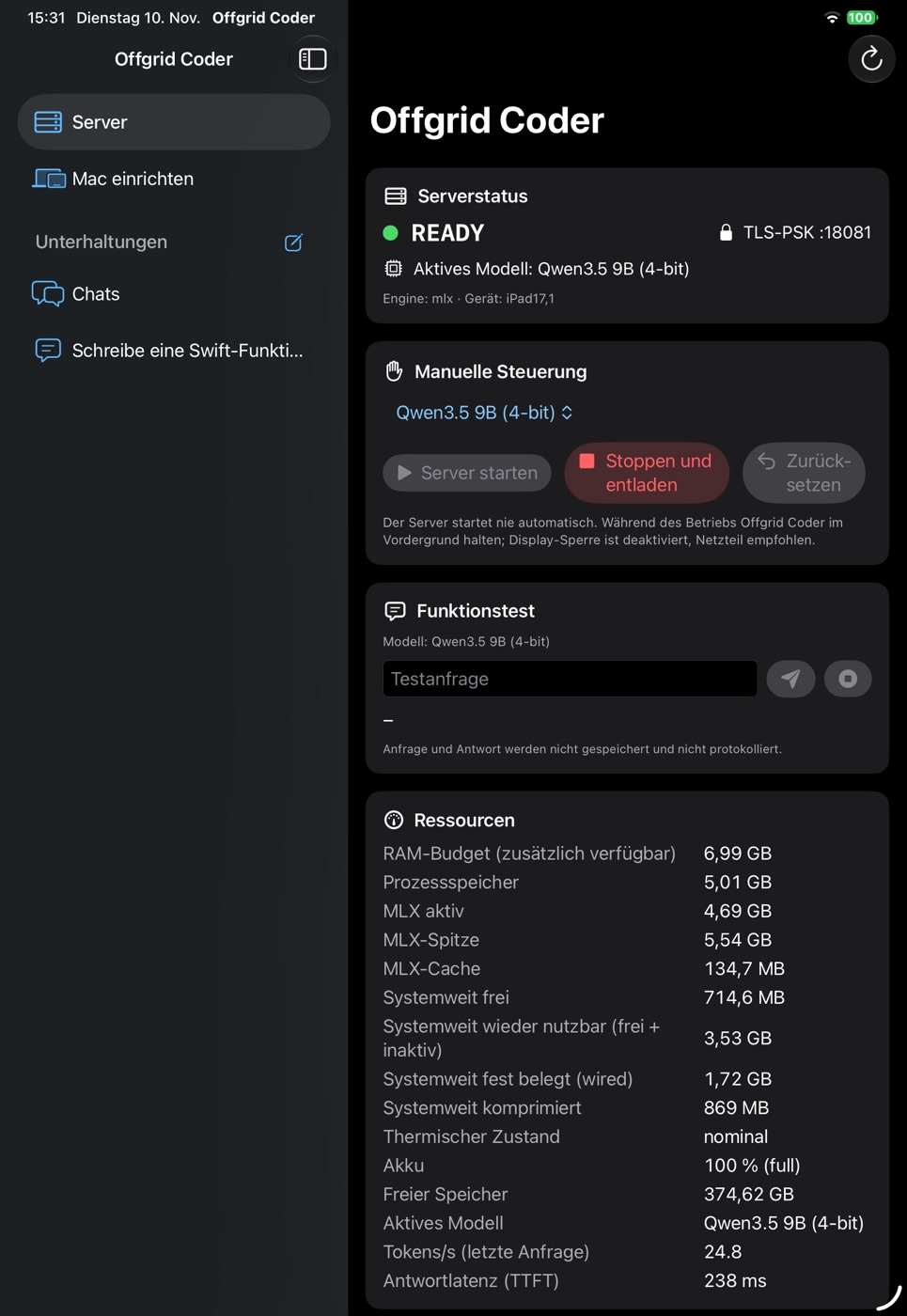
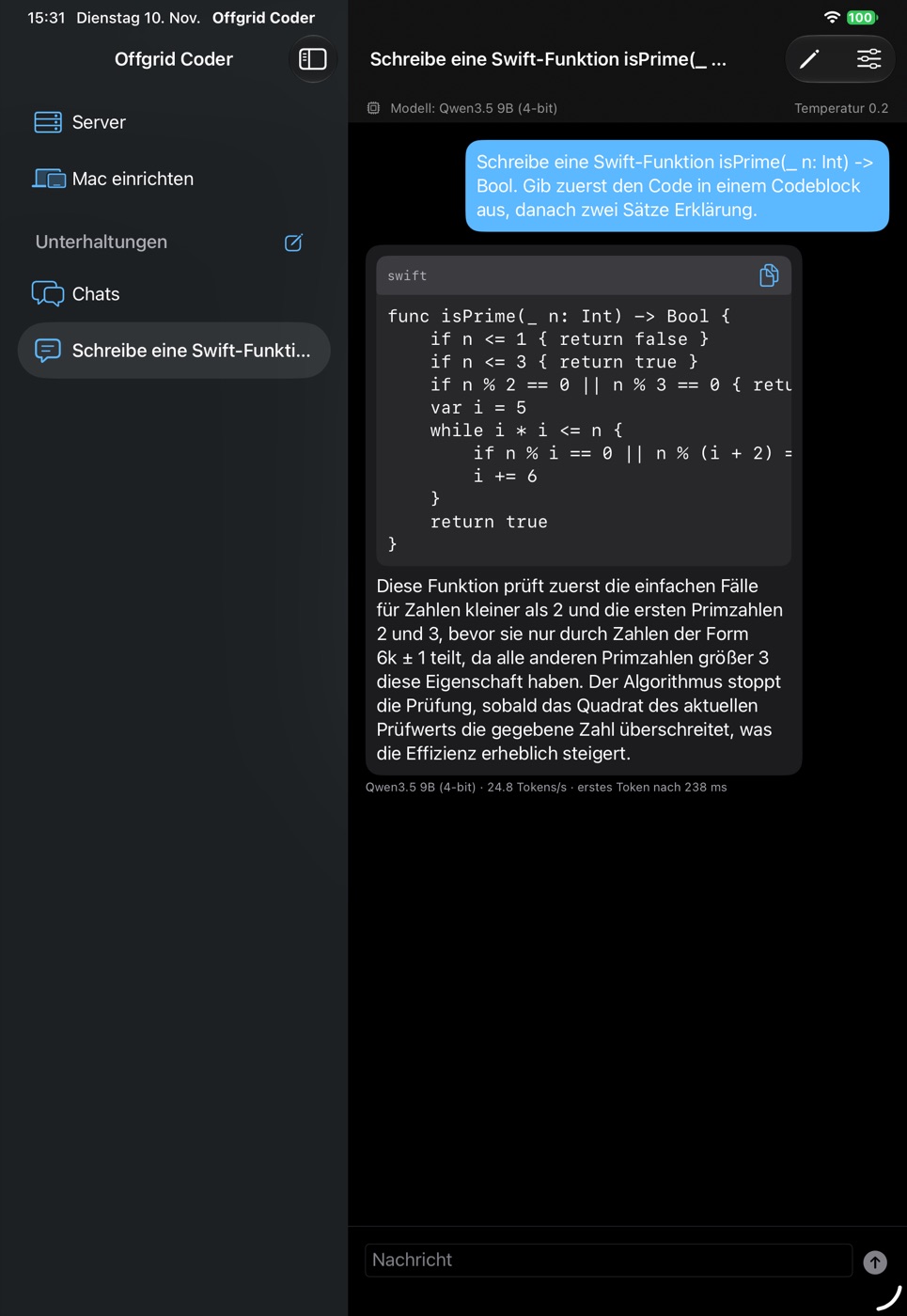
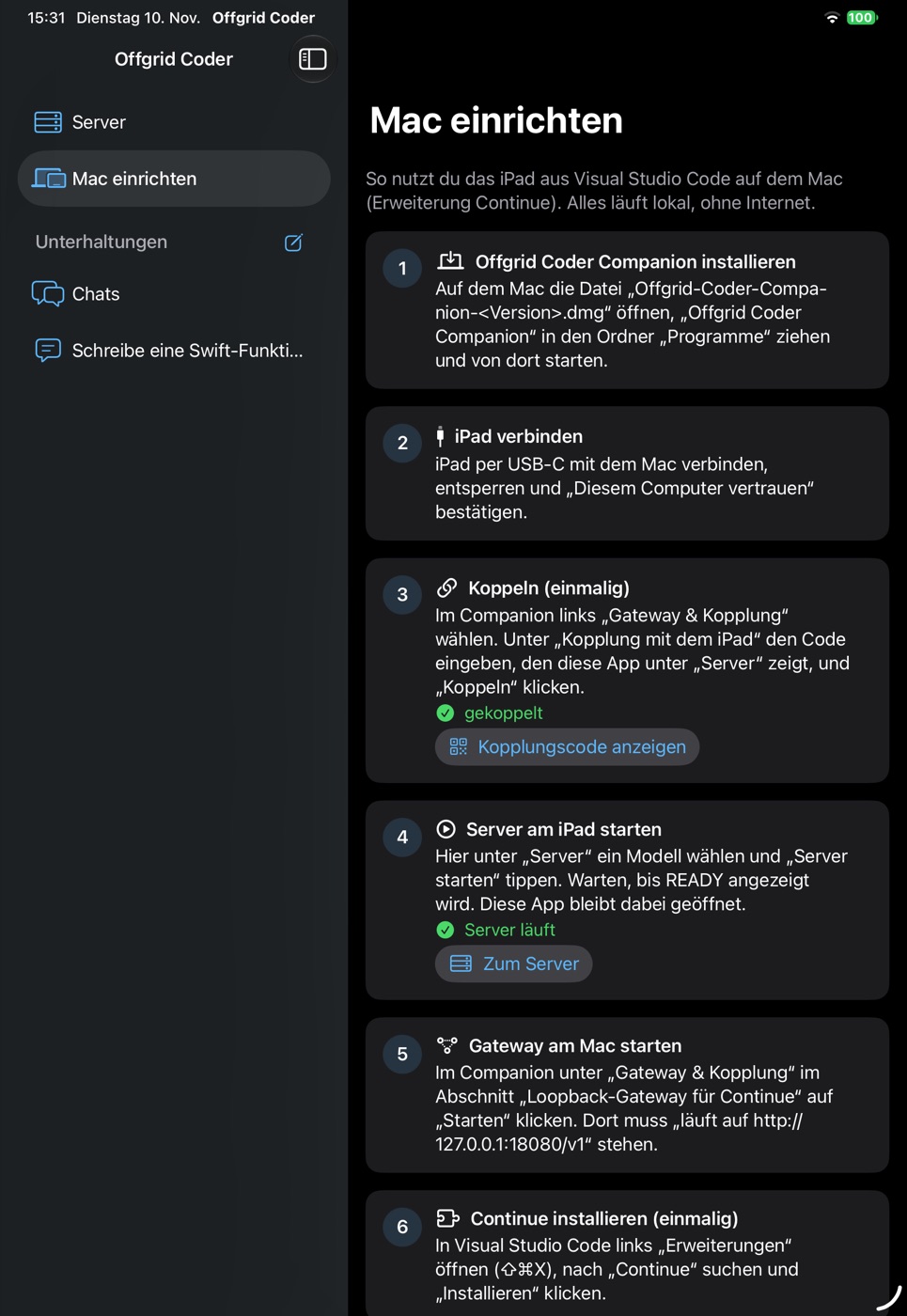
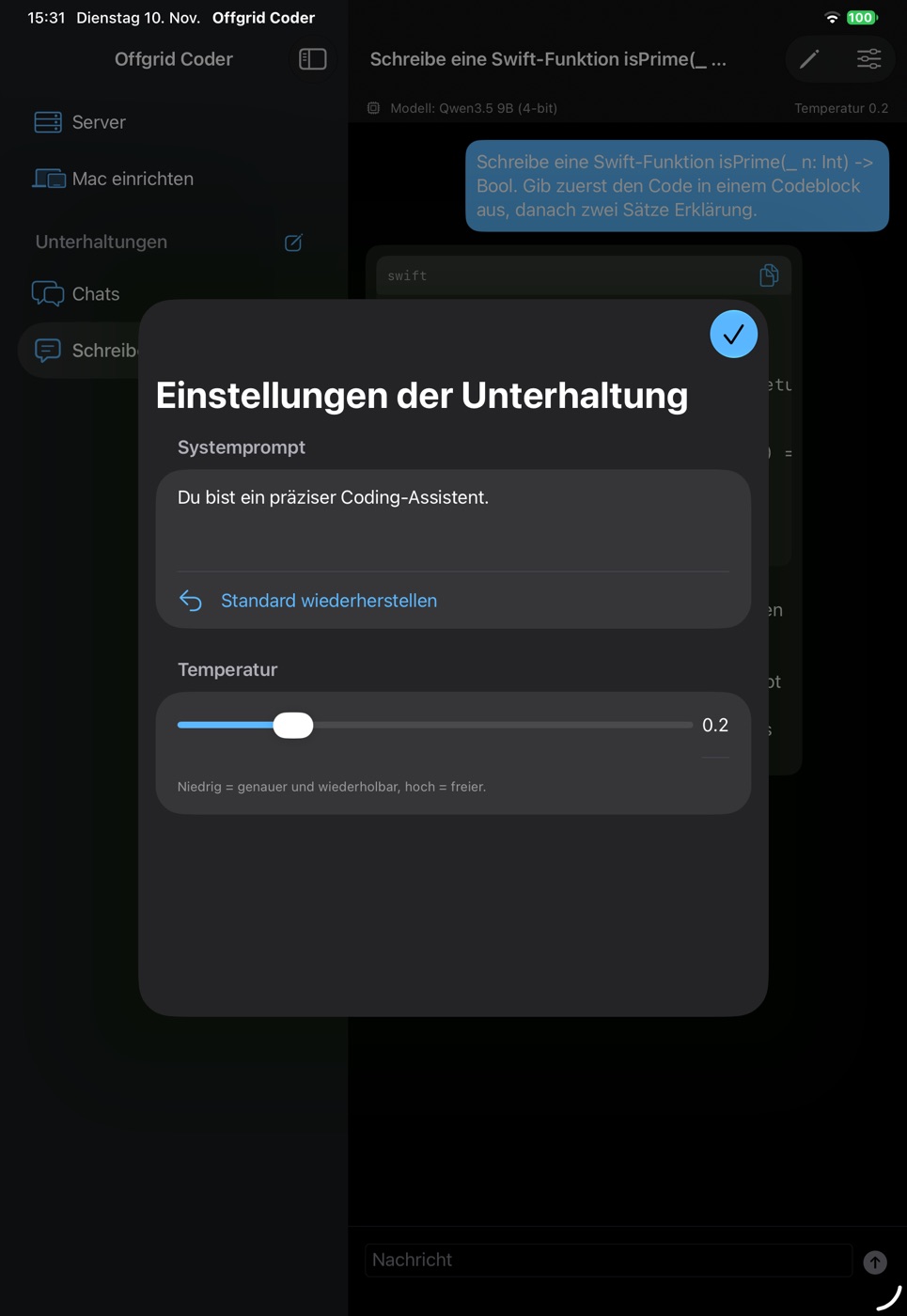
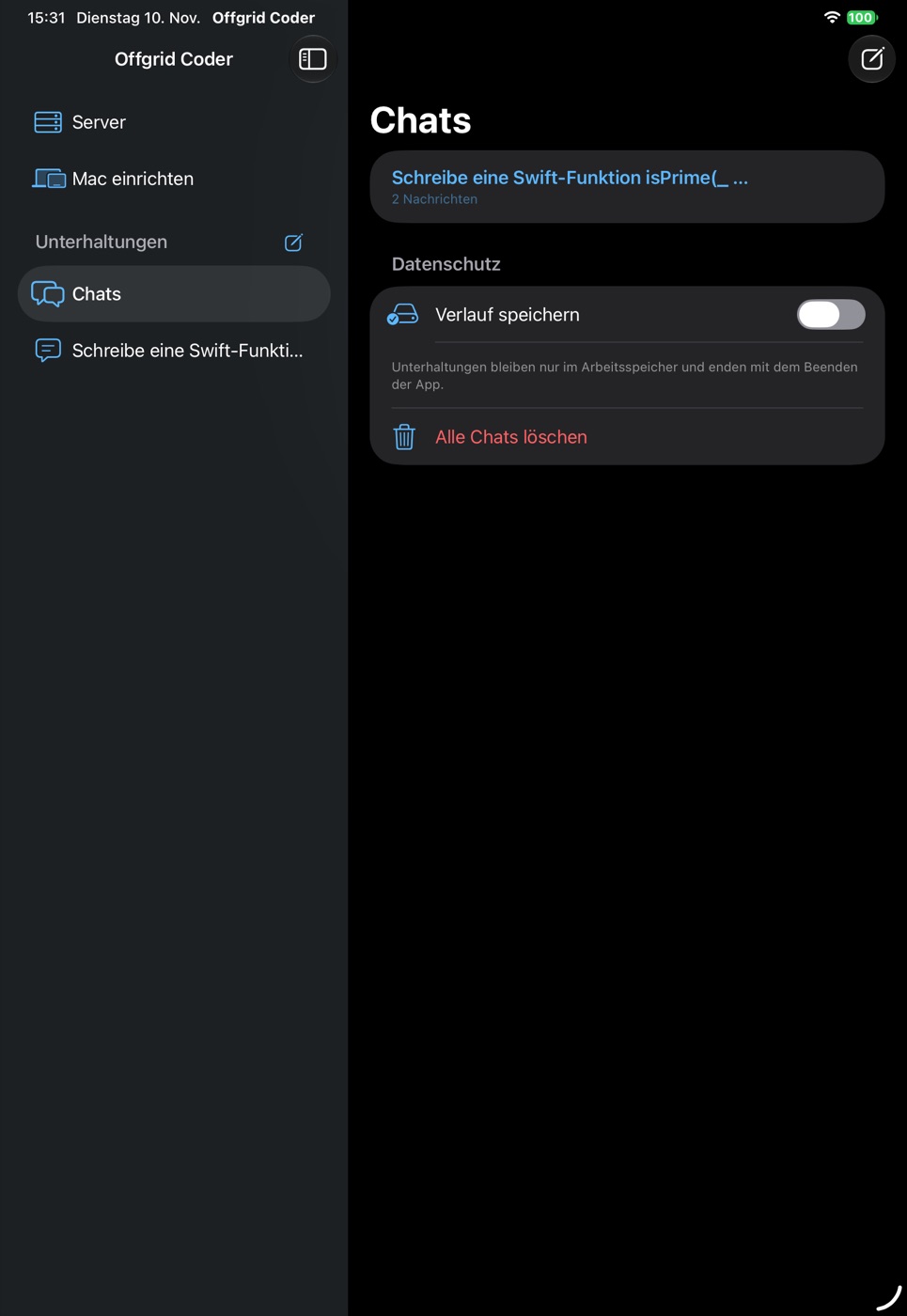
Five pictures from the app, with Qwen3.5 9B loaded. Straight from the device, not retouched – tap to enlarge. The interface is currently in German.
How it works
Set up once, then just start
A guide in the app walks you through every step and shows which ones are already done. No command line required.
- Get a model onto the iPad. Download from the built-in catalog or copy your own model folder with the Finder.
- Pair Mac and iPad. Plug in the cable, enter the code from the iPad in the Companion – once.
- Start the server on the iPad. Deliberately, with a button. It never starts by itself.
- Start working in your editor. The Companion sets up the profile for Continue and backs up your existing configuration first.
Right on the iPad
Useful without a Mac, too
- Chats with the local model: answers appear word by word, code blocks come with a copy button.
- System prompt and temperature per conversation.
- History in memory only. If you like, turn on “save history” – it is then stored encrypted on the iPad and excluded from backups.
- Function test with tokens per second and time to first word.
Private and offline
No cloud. No account. No tracking.
- No data collection: the app sends nothing to the developer – no prompts, no usage data, no crash reports.
- Encrypted connection between Mac and iPad, after a one-time pairing code over the cable.
- Internet only on request: only downloading a catalog model goes online, and only when you trigger it.
- No ads, no in-app purchases.
You stay in control
The iPad is not overrun
- Start and stop by hand. Stopping fully unloads the model.
- Check before start: does the model, including its loading peak, fit into memory? If not, it does not start.
- Resource guard for memory, temperature and battery pauses the model before the device is overloaded.
- Stops when idle: after a longer pause the server shuts down by itself.
Models
Open models, verified by checksum
The catalog contains open models in MLX format with pinned versions. Every file is verified with SHA-256 after download and before each start. Your own model folders can be imported without internet.
| Model | Size | What for | License |
|---|---|---|---|
| Qwen3.5 9B (4-bit) | approx. 6.0 GB | Recommended for code: up to 32,000 tokens of context, tool calls for agent mode | Apache 2.0 |
| Qwen2.5 Coder 7B (4-bit) | approx. 4.3 GB | Coding model of the 7B class | Apache 2.0 |
| Qwen3 4B (4-bit) | approx. 2.3 GB | Fast general-purpose model, also for iPads with less memory | Apache 2.0 |
| Qwen3 0.6B (4-bit) | approx. 0.35 GB | Small model for the function test | Apache 2.0 |
Which model runs depends on your iPad's memory; the app checks this before start. Models of the 12B class are listed in the catalog as experimental and are rejected by this check on today's iPads.
Measured, not estimated
What an iPad Pro with M5 can do
Measured on 9 November 2026 on an iPad Pro 11" (M5) over the USB-C cable, using the encrypted connection to the Mac.
| Model | Tokens per second (peak) | Time to first word |
|---|---|---|
| Qwen3.5 9B | approx. 28 | approx. 0.2 s |
| Qwen2.5 Coder 7B | approx. 30–35 | approx. 0.2 s |
| Qwen3 4B | approx. 49 | approx. 0.15 s |
| Qwen3 0.6B | approx. 250 | approx. 0.3 s |
These are peak values with a warm model and a short request. Under sustained load iPadOS throttles; in endurance runs the values were 35 to 40 percent lower. Long requests take noticeably longer: reading about 20,000 tokens of context took roughly 40 seconds with Qwen3.5 9B. Other devices deliver different values.
Requirements
What you need
- iPad Pro with an Apple M-series chip. Developed and measured on the iPad Pro with M5; large models need a lot of memory.
- Mac with macOS 26 and Offgrid Coder Companion.
- USB-C cable between the two devices.
- Free storage on the iPad for the model you choose.
Good to know
The honest limits
- The app's interface is currently in German.
- The app stays in the foreground while serving; a power adapter is recommended.
- One request at a time is handled.
- Autocomplete while typing does not run through the iPad – Offgrid Coder is meant for chat, edit and agent.
- Answers from a language model can be wrong. Review generated code before you use it.
Offgrid Coder Companion for macOS
The Companion connects the Mac to the iPad, shows the iPad's state and temperature and sets up the profile for Continue. It is not distributed through the Mac App Store but here, as a signed app notarized by Apple. Setup is described on the help page; how app and Companion handle data is described in the privacy notice.
SHA-256: 067aa223150467762f2890e647452955f8ba5b3a35217108ee9e56d191423194